

Product video production
How to Make AI Video Ads: Plan, Script, and Review
To plan, script, and review a video ad made with AI-assisted visuals, define the audience and message first. Turn that message into a short script and shot list, then check that the footage, text, sound, and call to action communicate the same idea. This guide focuses on those creative decisions, not on a particular tool's generation or editing controls.

A generated clip gives you material to work with. The ad still needs to make a clear promise that the product can support.
Use this guide to plan and review the creative work. It does not rank ad generators or explain media buying; those are different decisions from writing the message and assembling the footage.
Start with an advertising brief
Answer these questions before opening a generation tool:
| Question | What to decide |
|---|---|
| Who is this for? | One audience and a relevant situation |
| What should they understand? | One main product message |
| What supports that message? | Verified product facts or a real demonstration |
| What should they do? | One clear next action |
| Where will they see it? | Placement, format, and viewing context |
Keep a record of any offer, price, or product claim used in the ad. Visual appeal cannot replace accurate information.
Write the message before the shots
A useful planning structure is an opening, a reason to keep watching, and a next step. This is an editorial structure, not a guarantee of advertising performance.
For an illustrative cosmetic-product launch, the opening might show the packaging, the middle might reveal a visible texture, and the ending might invite viewers to explore the collection. Do not add a skincare result or ingredient claim unless the real product evidence supports it.
Read the script aloud. Remove repeated promises and phrases that do not tell the viewer anything specific. A short ad can carry one message well without becoming a complete product manual.
Turn the script into a shot list
Give each shot a communication job. Pair it with the exact asset you need and the fact you must preserve.
| Shot | Communication job | Production note |
|---|---|---|
| Opening product shot | Show what is being promoted | Use accurate packaging |
| Supporting detail | Make the message concrete | Show a real visible feature |
| Closing composition | Make the next action clear | Add editable CTA text |
Use the storyboard guide when a message requires several connected shots.
Example: carry one message from brief to review
This is an original, untested illustration, not a real product claim or a completed ad. Suppose a product reference shows a striped pouch, and the single message is its visible striped design. Confirm the actual design and permission to use the reference before adapting this example; the product name and any material, size, or performance claims remain to be supplied from real product information.
| Stage | The same message carried forward |
|---|---|
| Fact constraint | The reference shows stripes on the visible front of the pouch. Do not infer the back, material, capacity, or durability. |
| Script or caption | “A striped design, up close.” Use this line only if it accurately describes the real product. |
| Visual | Plan a close-up of the verified front view, with the stripe pattern visible and space for an editable caption. Use the cleared photo or review an AI-assisted version before selecting it. |
| Observable check | Compare the full clip with the exact input. Check the stripe arrangement and pouch outline, then check caption readability in the exported layout. |
| Failure or fallback | If the stripe arrangement or pouch outline changes, do not approve the shot for this brief; use the cleared still image instead. Assess lighting and fine-detail differences separately. This is not a pixel-exact preservation claim. If the caption does not match the verified design, return to the brief and rewrite it; if it is hard to read, adjust the layout and check the export again. |
The fallback preserves the same message; it does not hide a changed product behind text. This example demonstrates a planning connection, not generation quality or advertising performance.
TakeWeave.ai / FIELD GUIDE
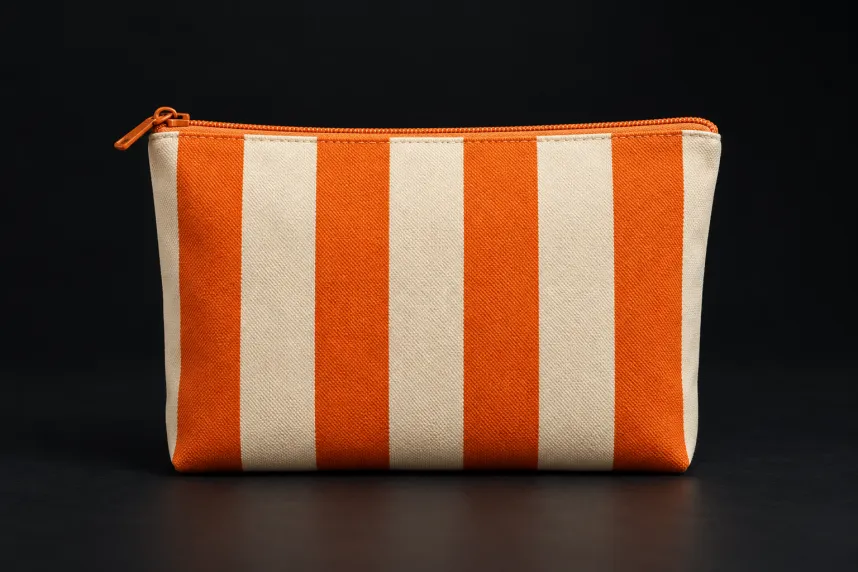
Illustrative pouch concept—not product photography.
“A striped design, up close.” Use only when this describes the cleared product reference.
Keep the intended front pattern and pouch outline visible. Reserve room for the caption; add exact text in editing.
Check the stripe arrangement and pouch outline against the exact input. Check that the caption is accurate and readable.
If either changes, do not approve the shot for this brief; use the cleared still image instead. Rewrite a mismatch; adjust an unreadable layout.
Read the illustrated message chain as the following fictional brief, not as verified product information or a tested ad:
- Audience and situation: shoppers comparing pouch designs before choosing which product page to open. This is a proposed audience for the example, not an approved or researched audience finding.
- Supported message and caption: the reference must show stripes on the visible front. Use “A striped design, up close” only when that description matches the cleared reference. Do not infer material, capacity, durability, price, or unseen surfaces.
- Shot and reason: a front-view close-up makes the stripe pattern easy for that shopper to inspect. Keep the visible pattern and pouch outline intact, and reserve space for the caption added during editing. A new angle cannot establish details absent from the reference.
- Ending and next action: end on the same front view with the editable CTA “See the pouch design.” In this hypothetical brief, that action would open a product detail page with a clear front image; no existing website route is named or confirmed. Leave enough time to read both caption and CTA at the intended output size.
- Check and fallback: watch the complete clip and the edit, with sound and muted, then check the exported text for accuracy and readability. If the stripe arrangement or pouch outline changes, do not approve the shot for this brief; use the cleared still image instead. Assess lighting and fine-detail differences separately. This is not a pixel-exact preservation claim. Rewrite a caption that does not match the verified design; adjust an unreadable layout and check the export again. If the CTA lacks a suitable destination, return to the brief before using it.
The diagram is a partial planning overview; the text above supplies the audience-to-action relationship. A generated concept reference and one external video output are now available below. They do not verify a real product, a product-page destination, a completed advertisement, or an advertising result.
Generated concept reference and shot
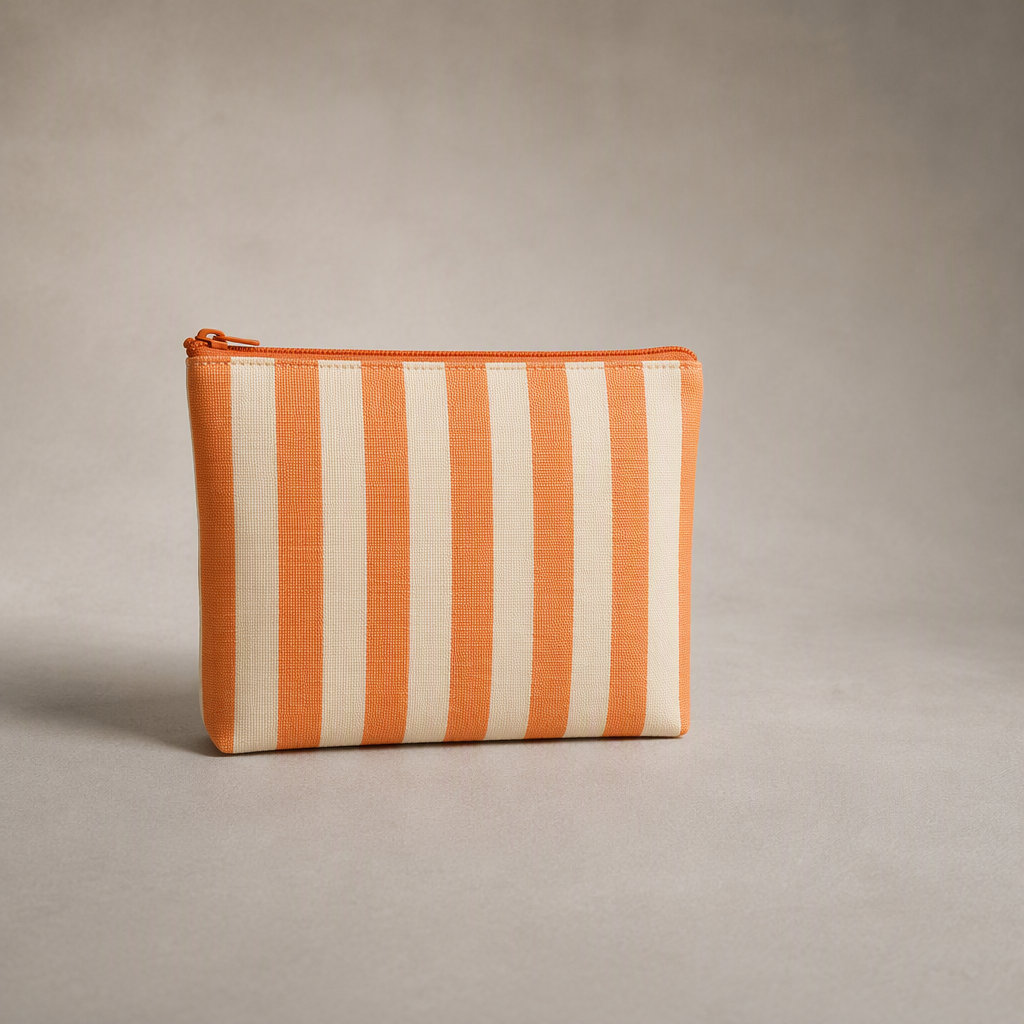
Use this pair to practice the visible-design check in the brief: compare the stripes, outline, zipper detail, framing, and ending with the exact input. The source was generated with gpt-image-2 through Token168 on October 14, 2026, then cropped to 16:9 for the video request. It depicts a fictional, unbranded pouch, not a photographed commercial product.
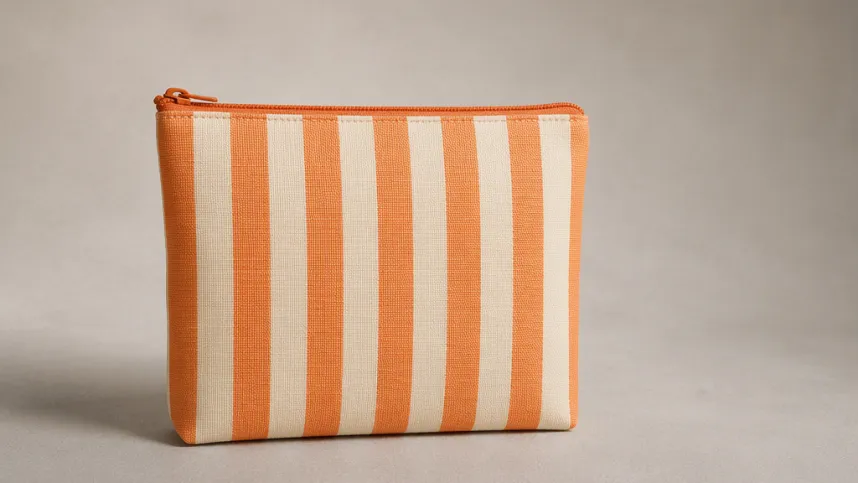
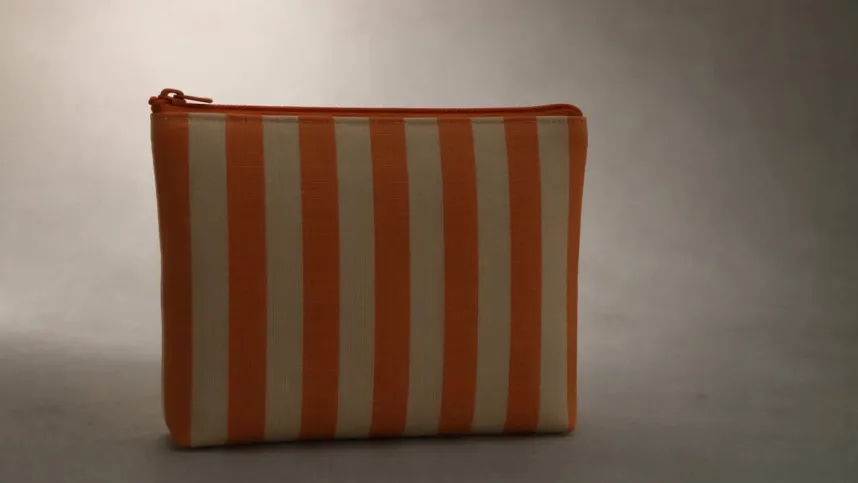
The request keeps the camera and pouch fixed while light changes, rather than turning the pouch or revealing its back. Inspect the actual output against that intention before adding the proposed caption and CTA in an edit; neither text nor a verified destination has been added to this shot. The generated lighting does not establish material, capacity, durability, or any product benefit.
The recorded retry corrected the reference field from an asset URI to the exact image URL. The earlier request produced no video; the corrected task produced this output. That transport correction is not a model-quality A/B test, prompt-effect claim, or success-rate estimate. The exact input and complete output are linked above.
Choose your starting material
Start from a product photo when recognition and packaging matter. Start from a written scene brief when you need a new setting. Start from a suitable template when its pacing and layout already serve the message.
These approaches can be combined during editing. They do not require you to generate every element. Original photography, verified demonstrations, and simple text layouts may communicate a product better than a more elaborate generated scene.
For product-photo footage, follow the photo-to-video workflow. For adapting a reusable layout, read the promo template guide.
Review, edit, and prepare variants
Keep the communication review separate from the visual review. An accurate product shot can still fail to explain the offer, and a clear headline can still sit on unusable footage. Approve both before treating the edit as a finished advertisement.
Inspect the entire generated clip before placing it in the edit. Check that the product remains recognizable and that no invented feature changes the message.
Add exact headlines, captions, prices, and CTA text during editing. Review the ad both with sound and muted. Confirm that the exported version remains legible and that its framing works in the intended placement. Check current platform requirements before delivery.
Create variants around a question you want to learn from: a different opening, a different supported message, or a different CTA. Name each version and record what changed. If you later run a test, use actual campaign data; generating variants does not demonstrate a better click-through or conversion rate.
Frequently asked questions
Can AI make the entire ad?
Different tools cover different parts of production. Plan for the work the output still needs: factual review, editing, readable text, sound, and placement checks.
How many versions should I make?
Make only the versions you can review and use. Start with one clear concept, then create a specific variation when you have a reason to compare it.
What makes an AI video ad ready to use?
The message is accurate, the footage serves it, important text is readable, the assets are cleared for use, and the final file meets its destination requirements.
Build the ad around one message
Write the brief, assign a purpose to each shot, and produce only the assets that help communicate it.