

VEO 3.1 IN TAKEWEAVE
Create cinematic video with detailed scene direction, reference keyframes, deliberate camera movement, and a reviewable TakeWeave workflow.
 VIDEO MODEL

Check current availability in Studio
SHAPE A CINEMATIC SHOT FROM PROMPT TO CAMERA MOVE.
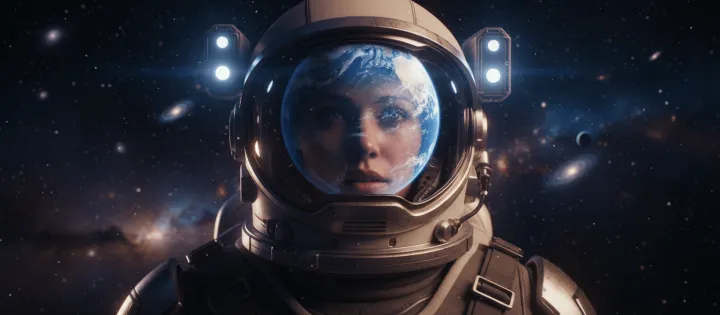
Describe the subject, environment, light, material, motion, and camera behavior as one coherent shot.
Example Input
- Detailed scene prompt
- Reference keyframe
Camera direction
- Cinematic camera path
- Framing and pacing
Output Delivery
- Review output settings in Studio
- Download the completed Take
Routing & Verification
- Auto or manual selection
- Confirm the active route before generation
WHEN VEO 3.1 FITS THE BRIEF
Use it when cinematic composition, physical detail, and camera direction matter more than rapid rough iteration.
Best for
 Cinematic environments and materials
Describe atmosphere, lighting, weather, surfaces, and physical behavior in one scene.
- Dynamic camera language
Direct reveals, tracking shots, crane movement, orbital motion, and composed handheld behavior.
- Detailed prompt-led shots
Combine subject, color, lighting, action, and camera intention in a structured brief.
AVOID WHEN
 Cost-sensitive rough prototyping
Compare current routes and Quotes when speed or low-cost iteration is the priority.
- Flat graphic or exact 2D animation
Use an image or design workflow when graphic precision is more important than cinematic motion.
- Instant generation expectations
Generation is asynchronous and completion time varies with the task and service demand.
Compare results for your own task; this is not a permanent leaderboard.
INPUTS, CONTROLS, AND ROUTING
Review input parameters, output settings, and current availability before you generate.
Supported Inputs
Supported Outputs
Eligible Controls
Availability Regions
Region, account, and provider-route availability are confirmed in Studio.
COSTS, RIGHTS, AND REVIEW BOUNDARIES
Review billing, usage rights, and technical limits before triggering generations.
Orchestrator Cost Rate
Your Quote depends on the selected route and output settings.
Commercial Use & IP Rights
Review the plan, model terms, and rights to every input before publishing.
Hard Generation Limits
Duration, output options, concurrency, and controls depend on the active route and plan.
A final, precise Credit quote always appears in Studio before triggering generations.
USE VEO 3.1 IN YOUR TAKEWEAVE WORKFLOW
Choose between automated routing and manual model selection inside TakeWeave.

INTELLIGENT AUTO ROUTING
Describe the cinematic outcome. Auto can recommend an available route; review the model, settings, and Quote before confirming.

DIRECT MANUAL OVERRIDE
Choose Veo 3.1 in Video Studio when available, add a structured shot brief, and confirm the supported controls.
The workspace model selector and real-time quote preview confirm your final active route before generation.
SUPPORT & RELATED SYSTEMS
Got questions? Browse common scenarios or explore adjacent models.
Detailed cinematic shots where environment, material, action, and camera direction must work together.
The active Studio route shows supported prompts, reference inputs, camera controls, and output settings.
Studio calculates the final Quote from the route and output settings before confirmation.
Yes. Provider, region, account, and service conditions can affect the routes shown in Studio.