

KLING 3.0 IN TAKEWEAVE
Turn a strong reference image into controlled motion with explicit subject action, camera direction, and scene behavior.
 VIDEO MODEL

Check current availability in Studio
DIRECT THE SUBJECT AND THE CAMERA IN THE SAME SHOT.
Start from a clear keyframe, describe one primary action, and specify how the camera should reveal or follow the moment.
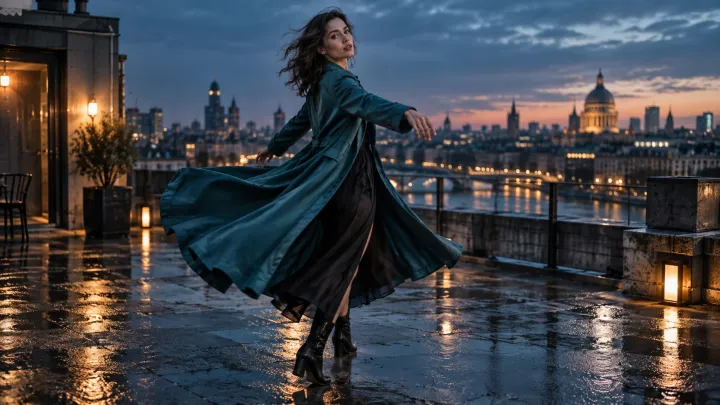
Example Input
- Reference keyframe
- Subject action
Camera direction
- Push, pull, pan, orbit, or handheld intent
- Pacing and emphasis
Output Delivery
- Review motion fidelity
- Compare alternate Takes
WHEN KLING 3.0 FITS THE BRIEF
Choose it when the starting image is important and the shot depends on readable motion or camera behavior.
Best for
 Image-to-video motion
Animate a composed reference while preserving its central subject and visual direction.
- Product and material movement
Show rotation, reveal, flow, texture, or environmental motion around a product.
- Camera-directed character shots
Pair a focused performance with a clear push-in, pan, orbit, or follow shot.
AVOID WHEN
 Too many competing actions
Use one dominant action and one camera intention per shot.
- Exact interface or typography animation
Use dedicated design tools when every letter or UI element must remain exact.
- Unreviewed identity-critical output
Check faces, hands, costumes, and recognizable products before publishing.
Compare results for your own task; this is not a permanent leaderboard.
INPUTS, CONTROLS, AND ROUTING
Review input parameters, output settings, and current availability before you generate.
Supported Inputs
Supported Outputs
Eligible Controls
Availability Regions
Studio confirms the available Kling route and controls for the current account.
COSTS, RIGHTS, AND REVIEW BOUNDARIES
Review billing, usage rights, and technical limits before triggering generations.
Orchestrator Cost Rate
The Quote reflects the active route and output settings selected in Studio.
Commercial Use & IP Rights
Confirm rights to people, products, artwork, and every uploaded reference.
Hard Generation Limits
Complex interactions, identity, text, logos, and long motion chains require review.
A final, precise Credit quote always appears in Studio before triggering generations.
USE KLING 3.0 IN YOUR TAKEWEAVE WORKFLOW
Choose between automated routing and manual model selection inside TakeWeave.

START WITH AUTO ROUTING
Add the reference and describe the action. Auto can recommend a compatible route; verify the selected model and Quote.

SELECT KLING 3.0 DIRECTLY
Choose Kling 3.0 in Video Studio when available, set the subject action and camera intent, then generate a reviewable Take.
The workspace model selector and real-time quote preview confirm your final active route before generation.
SUPPORT & RELATED SYSTEMS
Got questions? Browse common scenarios or explore adjacent models.
Image-to-video shots, product motion, character performance, and camera-directed short scenes.
State the subject, one primary action, camera movement, pacing, and the intended end state.
Yes when the active Template route supports it. Template-locked structure remains fixed while exposed fields can be replaced.
Yes. Studio displays the current route, controls, and Quote before generation.