

SEEDANCE 2.5 IN TAKEWEAVE
Build reference-led video scenes with coordinated characters, products, environments, motion, and sound direction inside one TakeWeave workflow.
 VIDEO MODEL

Check current availability in Studio
TURN MULTIPLE REFERENCES INTO ONE COHERENT SCENE.
Use a clear brief and approved visual references to direct who appears, what moves, where the action happens, and how the scene should feel.
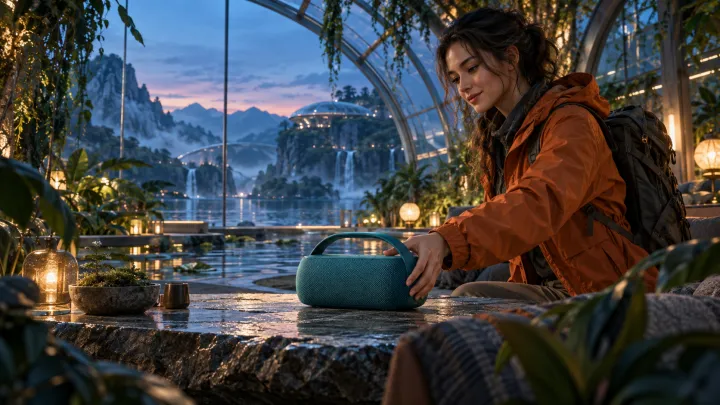
Example Input
- Character reference
- Product or prop reference
- Scene direction
Motion direction
- Primary action and interaction
- Camera path and pacing
Audio Intent
- Dialogue or voice direction
- Ambience and sound cues
Output Delivery
- Review the generated Take in Studio
- Compare versions before export
WHEN SEEDANCE 2.5 FITS THE BRIEF
Choose it when several creative inputs need to work together inside one directed video scene.
Best for
 Multi-reference scene building
Coordinate characters, products, props, and environments from a structured set of references.
- Character and product interaction
Describe a focused action while preserving the visual role of each supplied reference.
- Story-led social video
Direct action, dialogue intent, atmosphere, and pacing for short narrative or campaign content.
AVOID WHEN
 Unclear or conflicting references
Reduce ambiguity before generation when references disagree on identity, style, scale, or scene logic.
- Pixel-exact typography and packaging
Review text, logos, labels, and small product details before publishing.
- Long sequences with many independent events
Break complex stories into focused shots and assemble approved Takes afterward.
Compare results for your own task; this is not a permanent leaderboard.
INPUTS, CONTROLS, AND ROUTING
Review the references, editable controls, and current route before confirming generation.
Supported Inputs
Supported Outputs
Eligible Controls
Availability Regions
Availability varies by account, region, and active provider route. Studio shows the options available for the current job.
COSTS, RIGHTS, AND REVIEW BOUNDARIES
Confirm the current Quote and review every supplied reference before generation.
Orchestrator Cost Rate
Your Credits Quote depends on the active route and selected output settings.
Commercial Use & IP Rights
Use references you are authorized to upload, transform, and publish.
Hard Generation Limits
Identity, hands, text, logos, spatial continuity, and complex interactions still require human review.
A final, precise Credit quote always appears in Studio before triggering generations.
USE SEEDANCE 2.5 IN YOUR TAKEWEAVE WORKFLOW
Choose between automated routing and manual model selection inside TakeWeave.

START WITH AUTO ROUTING
Describe the outcome and add the required references. Auto can recommend an available route for the task; review the selected model, settings, and Quote before confirming.

SELECT SEEDANCE 2.5 DIRECTLY
Open Video Studio and choose Seedance 2.5 when available. Replace the exposed inputs, keep Template-locked structure intact, and confirm the current Quote.
The workspace model selector and real-time quote preview confirm your final active route before generation.
SUPPORT & RELATED SYSTEMS
Got questions? Browse common scenarios or explore adjacent models.
It is best suited to video tasks that combine several references with explicit action, scene, camera, and audio direction.
Use the reference slots exposed by the active route or Template. Studio shows which input types and limits apply before generation.
References guide the result, but identity, packaging, logos, text, and fine details must still be reviewed in every Take.
Studio shows the final Credits Quote after the route and output settings are known and before generation is confirmed.