

Video editing
How Long Can an AI-Generated Video Be?
You can cut three five-second clips into a 15-second video. If the brief calls for 15 seconds without a cut, check the model and mode: can they generate the whole shot or continue it from where it stops? The limit varies.
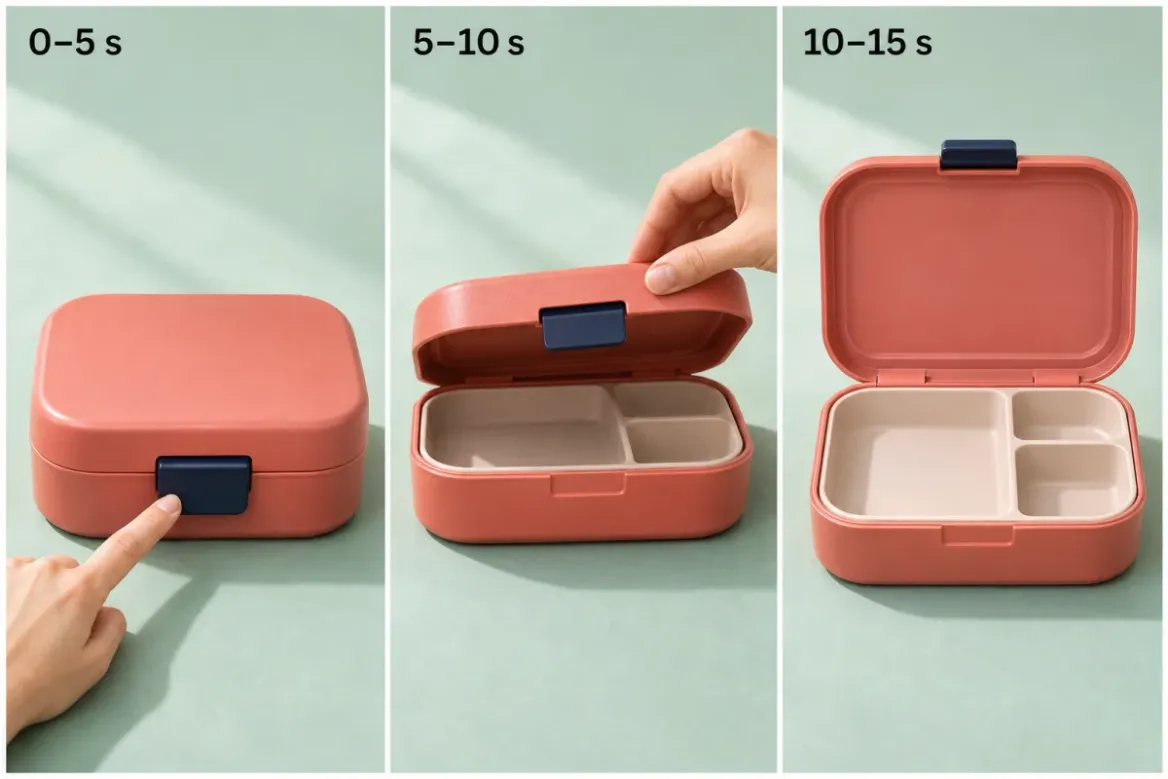
Ask whoever requested the video one question: “Can we cut to another angle?” A yes lets you budget footage across an edit. A no means you need to check the generation and extension settings before promising the shot.
How long is one generation?
For a single shot, start with the length you can get from one request. Select the model version and input mode you plan to use, such as text-to-video or image-to-video, then look at the duration options for that combination. A runtime typed into a prompt isn't a substitute for an available setting. “The lid opens slowly” directs the action; it doesn't allocate more seconds.
For example, TakeWeave's Veo 3.1 model page says duration depends on the active route and plan. The page doesn't give a fixed maximum. Check the selected settings in Studio before a run. If you're sharing a limit with an editor, record the version, input mode, duration shown, and date together. A downloaded clip tells the editor how much footage you have, not the longest clip that setting allows.
The same shot, before and after the cut
Watch the highlight on the pink tube. Both files show the same turn. At the five-second mark the excerpt ends, while the original keeps rolling and a bright reflection crosses the tube. You can play both files here and see exactly which part the edit removes.
Both clips are silent.
Does an extension add time or include the original?
If the camera needs to hold on a hand until a lid clicks shut, an extension may let you finish that action. First check whether continuation is offered for your clip and mode. Then check what comes back: a new tail to append, or a longer file that already contains the original. Look for separate limits on the added segment and the total continued shot. Don't count on repeating an extension indefinitely.
Say you have five seconds of footage and need three more. In this editing example, a separate three-second tail would take the shot to eight seconds if it joins cleanly with no overlap. If the returned file already contains all eight seconds, use it in place of the five-second original. Laying both files end to end would replay the opening. Step across the join frame by frame: if the lid pops open again, extra runtime hasn't finished the action.
Budget a 15-second cut on the timeline
Suppose the brief is a lunchbox demo. The viewer needs to see which latch opens the box, how the lid lifts, and what's inside. A cut is useful here: the close-up that makes the latch legible is too tight to show the full tray.
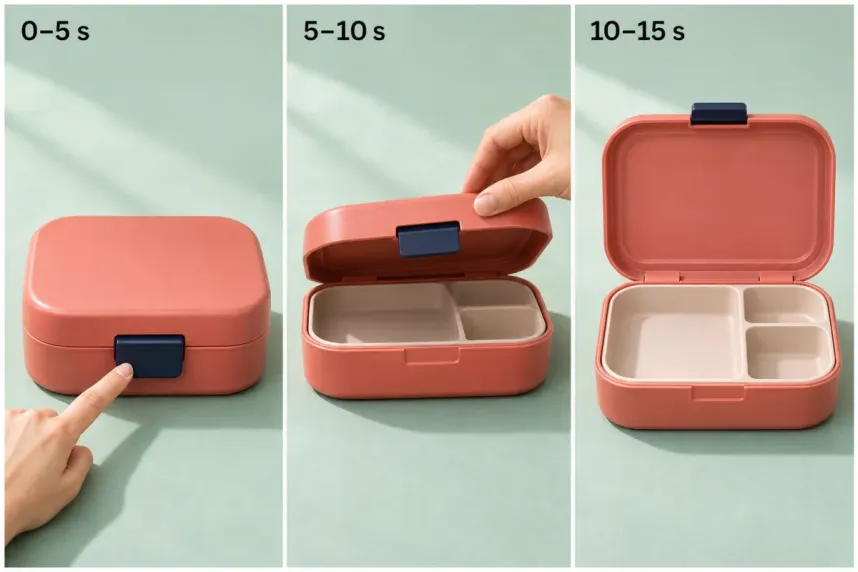
Now trim a second of hesitation off the latch shot. You have 14 seconds. Overlap the lid and tray shots by one second for a dissolve and the sequence comes down to 13: four plus five plus five, minus one. If you still owe the editor 15 seconds, hold the final tray image for two more. That buys the viewer time to read a caption. If the brief needs two more seconds of the lid lifting, you need more footage of the hand.
What if your clips run four seconds each and you need a 30-second ad? Seven clips give you only 28 seconds, even before trimming. Eight give you 32 seconds to work with. That plan works only if you can cut between shots. If the customer needs to watch one hand movement last the full 30 seconds, eight separate takes won't show an uninterrupted action.
For a longer piece, mark the moments the viewer must see before assigning seconds. The TakeWeave storyboarding guide can help you turn those moments into a shot list. Give each shot an ending you can cut on; the video prompt guide shows how to write that ending into a shot description.
Before delivery, check the exported file as well as the timeline. Play through the last cut and listen through the end of the audio. A 15-second picture with a trailing second of silence over black may produce a 16-second file. If the placement has a hard limit, check the duration of the exported file and pause on its last frame before sending it.